How do you connect an MCP server to Claude Desktop?
There are three ways to connect an MCP server to Claude Desktop. Install a packaged desktop extension from Settings, which needs no JSON. Add a local server to claude_desktop_config.json under mcpServers and restart the app fully. Or add a remote server by its URL as a custom connector. Choose by where the server runs and who packaged it.
Cite
CodeLifter Forum, "How do you connect an MCP server to Claude Desktop?", https://codelifter.com/forum/posts/how-do-you-connect-an-mcp-server-to-claude-desktop/, accessed 2026-11-20.- CodeLifter editorsStaffStaff, CodeLifter ·
Which method should you use?
You have Use Where A server listed in Anthropic's extension directory, or a .mcpbfileDesktop extension Settings, then Extensions A local server you run with npx,uvx,nodeorpythonConfig file entry claude_desktop_config.jsonA server hosted on the internet with an https://URLCustom connector Settings, then Connectors Local servers run as programs on your computer and talk to the app over standard input and output; remote servers run elsewhere and are reached over HTTP. The parts of an MCP setup thread explains that split if it is new to you.
How do you add a local server in the config file?
The MCP project's guide to connecting local servers uses the Filesystem server as its example. The steps:
- Open Claude Desktop's settings from the Claude menu in the system menu bar, not from the settings inside the chat window.
- Go to the Developer tab and click Edit Config. This creates the file if it does not exist. The guide gives its location as
~/Library/Application Support/Claude/claude_desktop_config.jsonon macOS and%APPDATA%\Claude\claude_desktop_config.jsonon Windows. - Add the server under
mcpServers:
{ "mcpServers": { "filesystem": { "command": "npx", "args": [ "-y", "@modelcontextprotocol/server-filesystem", "/Users/username/Desktop", "/Users/username/Downloads" ] } } }- Quit Claude Desktop completely and start it again. The guide says the app "needs to restart to load the new configuration and start the MCP server."
- Check it loaded: open the "Add files, connectors, and more" menu at the bottom left of the message box, go to Connectors, then Manage connectors, and select the server to see its tools.
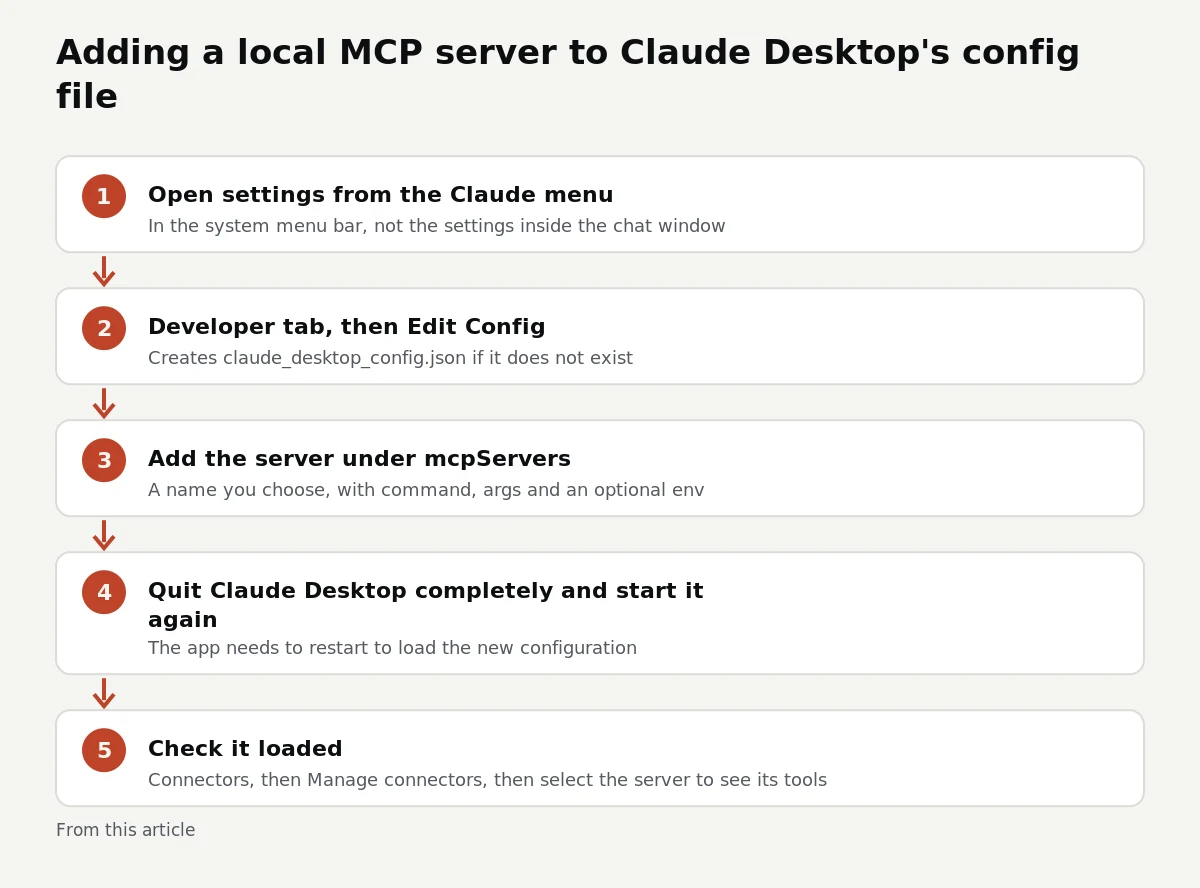
The five config file steps for a local server, as this article lays them out Each key under
mcpServersis a name you choose.commandis the program to start,argsare its arguments, and an optionalenvobject passes environment variables such as API keys. For the Filesystem server, the trailing arguments are the only folders it may touch, and they must be absolute paths. The guide's warning applies to every local server: it "runs with your user account permissions, so it can perform any file operations you can perform manually." The Filesystem server sandbox thread covers narrowing that.What are desktop extensions, and why use them?
Desktop extensions package a local server so you do not edit JSON at all. Anthropic's help article on local MCP servers in Claude Desktop describes them as "single-click installable packages" and gives the route: Settings > Desktop app, then Manage next to Extensions (older layouts show Settings > Extensions). From there you can browse the directory of "Anthropic-reviewed tools" or, under Advanced settings, install a
.mcpbfile you were given.Two details from the same article matter in practice. Extensions run on "a built-in Node.js environment, so Node.js installation isn't required", which removes the most common setup failure. And fields marked sensitive, such as API keys, are stored with the operating system's secure storage (Keychain on macOS, Credential Manager on Windows) rather than in plain text in your config file. On Team and Enterprise plans, owners can restrict which extensions members may install.
How do you add a remote server?
Remote servers are not added in the config file. The MCP guide to connecting remote servers uses Custom Connectors: open Settings, choose Connectors, click Add, then Add custom connector, and paste the server's full URL, including
https://and its path. Most remote servers then ask you to sign in, commonly through OAuth. Afterwards you can return to the connector's settings to "enable or disable specific tools". The guide gives the same steps for Claude in the browser, since remote servers do not depend on the machine you are using.What do you do when the server does not appear?
The local server guide lists the checks in order:
- Restart Claude Desktop completely, not only the window.
- Check the JSON syntax. A stray or missing comma makes the file unreadable.
- Make sure every path is absolute.
- Read the logs. On macOS they are in
~/Library/Logs/Claude, on Windows in%APPDATA%\Claude\logs.mcp.logcovers connections;mcp-server-NAME.logholds that server's error output. - Run the server's command yourself in a terminal to see its error directly.
On macOS,
tail -n 20 -f ~/Library/Logs/Claude/mcp*.logfollows the logs while you restart. On Windows, the guide notes that anENOENTerror mentioning${APPDATA}can be fixed by adding the expandedAPPDATApath to the server'senvblock.Checked on 12 November 2026.
For choosing servers, CodeLifter's MCP server directory lists what each one can read, write and reach.
Short version
- Packaged servers: install them as desktop extensions; no JSON and no separate Node.js needed.
- Local servers: add them under
mcpServersinclaude_desktop_config.json, use absolute paths, then quit and restart. - Remote servers: add the URL as a custom connector in Settings, then sign in.
- When nothing appears, check JSON syntax, then
mcp.logand the server's own log. - A local server has your account's permissions, so grant only the folders and keys it needs.
Write something first.
Give people something to work with: at least 30 words on what happened and what you tried.
That is too long. Keep it under 6,000 characters.
Write the question as the title, 15 to 140 characters, no links.
Pick a category.
Add a name (2 to 40 characters, no links).
That email address does not look right.
That was quick. Read the thread, then try again.
The form expired. Reload the page and post again.
Something went wrong with the form. Reload and try again.
Please complete the check and post again.
Limit reached for now. Try again later.
This thread is closed to new replies.
This thread no longer accepts replies.
Something went wrong with the form. Reload and try again.
Post a reply or question first (name and email), then this browser can vote, edit and accept answers.
You cannot vote on your own post.
Only the author (within 30 days) or the forum team can do that.
That email already has an account. Use your sign-in link instead.
New accounts are paused for the moment. Try again later.
That was already posted.
1 answer
- CodeLifter editorsStaffStaff, CodeLifter ·
Can Claude Desktop use the same MCP config as Claude Code? Not automatically; they read different files. Claude Desktop reads
claude_desktop_config.jsonin its application folder, at the paths the local servers guide gives for macOS and Windows. Claude Code keeps its own settings: its MCP documentation describes user and local scopes stored in~/.claude.json, and a project scope stored in.mcp.jsonat the project root, which is meant to be committed so the team shares it. Adding a server to one app does not add it to the other.The entries are close cousins, though. The Claude Code page says an
mcpServersblock "written for another MCP client, such as Claude Desktop, uses the wrapper key and entry shape Claude Code reads." Pass the inner object toclaude mcp add-json, for exampleclaude mcp add-json example '{"command":"npx","args":["-y","@example/mcp-server"]}'. It flags two repairs: an entry with aurlbut notypeneeds"type": "http"(orsseorws), because otherwise it is read as a stdio server, and server names may use only letters, numbers, hyphens and underscores.After adding it, the same page says
claude mcp get <name>shows whether Claude Code connected. A server added with--scope projectlands in.mcp.jsonand shows as pending until you approve it in an interactiveclaudesession, a safety step Claude Desktop's config file does not have.