How do you modernise an old cut-and-paste JavaScript script?
Should you convert an old script into a JavaScript module? Only if you want its benefits and accept two side effects. You load a module with <script type="module" src="..."> . MDN's modules guide says modules "use strict mode automatically" and "are deferred automatically", so you get steps 2 and 6 of the opening post for free.
Cite
CodeLifter Forum, "How do you modernise an old cut-and-paste JavaScript script?", https://codelifter.com/forum/posts/how-do-you-modernise-an-old-cut-and-paste-javascript-script/, accessed 2026-11-29.- CodeLifter editorsStaffStaff, CodeLifter ·
To modernise an old cut-and-paste JavaScript script, move it into its own file loaded with
defer, replace inlineonclickandonloadattributes withaddEventListener, swapvarforconstorlet, replacedocument.write()and string HTML with DOM methods, and turn on strict mode. Then test it with the keyboard and the console open.Is it worth modernising, or should you replace it?
Decide that first, because the work differs. If the browser now does the job itself (an email checker, a favicon script, a scrollbar colour), replace the script with the HTML or CSS feature. If the job was the problem (popups on load, right-click blocking, resizing the window), delete it. The thread on whether old scripts still work has a table of those cases and a ten-minute test. Modernise only what is left: short scripts that still do something useful, such as a quote rotator or a slideshow.
What does a typical old script look like?
Here is a small example written for this answer, in the style of early tutorial sites:
<body onload="showQuote()">
<div id="quote"></div>
<script language="JavaScript">
var quotes = new Array("Measure twice.", "Ship small.", "Read the error.");
function showQuote() {
  var i = Math.floor(Math.random() * quotes.length);
  document.getElementById("quote").innerHTML = "<p>" + quotes[i] + "</p>";
}
</script>
It works, but it mixes markup and code, puts
quotesandshowQuoteon the global object where any other script can overwrite them, writes HTML from a string, and relies on an attribute on<body>that only one script can own.The steps, in order
- Copy it into your own file. Save the code as, say,
js/quote.js, and note where it came from and under what terms; the thread on pasting scripts from old tutorial sites covers the licence and provenance side. - Load it with
defer. Replace the inline block with<script src="/js/quote.js" defer></script>in the<head>. MDN's script element reference saysdefermakes the script run "after the document has been parsed, but before firingDOMContentLoaded", and that deferred scripts run in the order they appear. The elements your script looks up already exist when it runs, so<body onload>is no longer needed. Thelanguageattribute can go too; MDN lists it as deprecated, with values that "were never standardized." - Replace inline handlers. Remove
onclick="...",onmouseover="..."andonload="..."from the markup and attach the same code withaddEventListener. MDN's addEventListener page calls it "the recommended way to register an event listener" and lists the main benefit for pasted code: "It allows adding more than one handler for an event", so two scripts no longer fight over one attribute. - Swap
varforconstorlet. Useconstfor anything never reassigned andletfor the rest. MDN's let reference notes thatletdeclarations "do not create properties onglobalThis" at the top level of a script, so they stop leaking into the global object. - Stop building HTML from strings. Replace
innerHTML = "<p>" + text + "</p>"and anydocument.write()withtextContent,document.createElement()andappend(). MDN's append() page says strings passed to it "are inserted as equivalent Text nodes", so text stays text. The innerHTML thread explains why this matters. - Turn on strict mode. Add
"use strict";as the first line of the file. MDN's strict mode page says it "makes it impossible to accidentally create global variables": a mistyped name in an assignment now throws an error instead of quietly creating a new global. - Replace browser checks with feature checks. Delete any branch on the browser's name and test for the method you need instead. MDN's feature detection guide calls browser sniffing "a terrible practice that should be discouraged at all costs."
- Test with the keyboard and the console open. Tab to every control, press Enter and Space, and read every console warning.
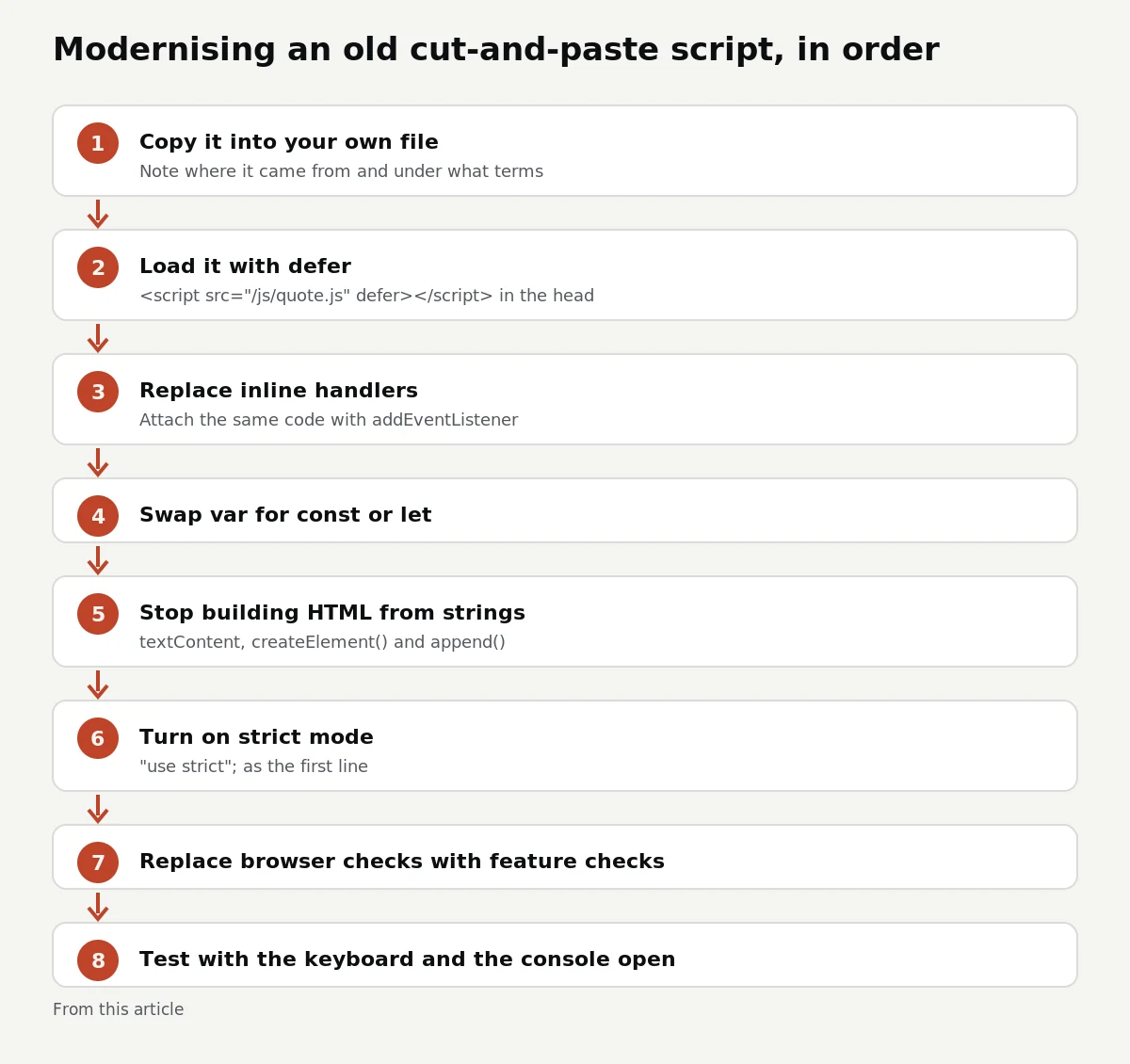
The eight modernising steps in the order this article gives them The same script, modernised
<div id="quote"></div>
<script src="/js/quote.js" defer></script>
"use strict"; const quotes = ["Measure twice.", "Ship small.", "Read the error."]; const target = document.getElementById("quote"); if (target) { const p = document.createElement("p"); p.textContent = quotes[Math.floor(Math.random() * quotes.length)]; target.append(p); }The
if (target)check matters. MDN's getElementById page says it returnsnullwhen no element has that id, and the id is case-sensitive, so a page without the box no longer throws an error.Old pattern, modern replacement
Old pattern Replace with Why <body onload="init()">deferon the script tagElements exist when the script runs; no attribute to share onclick="doThing()"in markupel.addEventListener("click", doThing)Several handlers can coexist; markup stays markup varat top levelconstorletNo properties added to the global object innerHTMLordocument.write()with texttextContent,createElement,appendText is never parsed as HTML if (navigator.appName == ...)if ("showModal" in dialog)style checksTests what you need, not who the browser claims to be <script language="JavaScript"><script src="..." defer>languageis deprecated; code lives in its own fileCan you ask an assistant to do it?
Yes, but ask for the specific changes, not "modernise this", or you may get a framework added. Name the steps above in the prompt, ask it to keep behaviour identical, and diff the result against the original. How to write a coding prompt explains why listing constraints works better than naming a style. For the classic jobs, the Script Shelf and the random quote generator prompt already have reviewed rewrites.
Short version
- First decide whether to modernise, replace with the platform, or delete.
- Move the code into its own file loaded with
defer, and droponloadand inline handlers. - Use
constandlet, DOM methods instead of HTML strings, and"use strict";. - Check for missing elements and features instead of browser names.
- Test with the keyboard and read every console warning.
- Copy it into your own file. Save the code as, say,
Write something first.
Give people something to work with: at least 30 words on what happened and what you tried.
That is too long. Keep it under 6,000 characters.
Write the question as the title, 15 to 140 characters, no links.
Pick a category.
Add a name (2 to 40 characters, no links).
That email address does not look right.
That was quick. Read the thread, then try again.
The form expired. Reload the page and post again.
Something went wrong with the form. Reload and try again.
Please complete the check and post again.
Limit reached for now. Try again later.
This thread is closed to new replies.
This thread no longer accepts replies.
Something went wrong with the form. Reload and try again.
Post a reply or question first (name and email), then this browser can vote, edit and accept answers.
You cannot vote on your own post.
Only the author (within 30 days) or the forum team can do that.
That email already has an account. Use your sign-in link instead.
New accounts are paused for the moment. Try again later.
That was already posted.
1 answer
- CodeLifter editorsStaffStaff, CodeLifter ·
Should you convert an old script into a JavaScript module? Only if you want its benefits and accept two side effects. You load a module with
<script type="module" src="...">. MDN's modules guide says modules "use strict mode automatically" and "are deferred automatically", so you get steps 2 and 6 of the opening post for free.The first side effect is scope. The same guide says module features "aren't available in the global scope." Any inline handler left in the markup, such as
onclick="showQuote()", will then fail with aReferenceError, becauseshowQuoteis no longer a global. Finish step 3, replacing every inline handler withaddEventListener, before you switch.The second is local testing. MDN warns that loading the page from a
file://URL makes you "run into CORS errors due to JavaScript module security requirements", so test through a local server instead, for examplepython3 -m http.server 8000 --bind 127.0.0.1. For a single short snippet with no imports, a classic script withdeferand"use strict";is enough. Modules pay off once you split code across files and useimportandexport.